
Turn geospatial imagery data into powerful deep learning models

Detect objects, patterns, and change faster than ever before by managing the entire geospatial ML pipeline with our cloud-native platform.
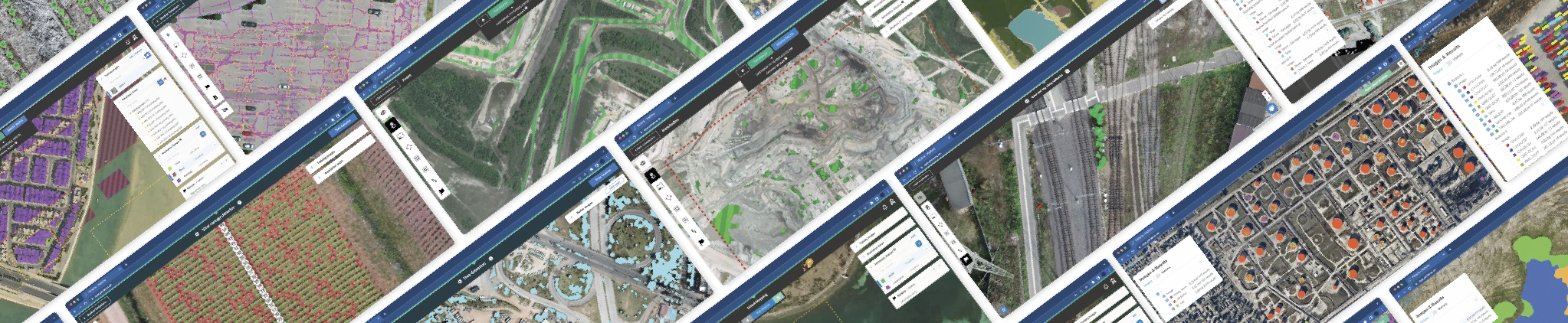
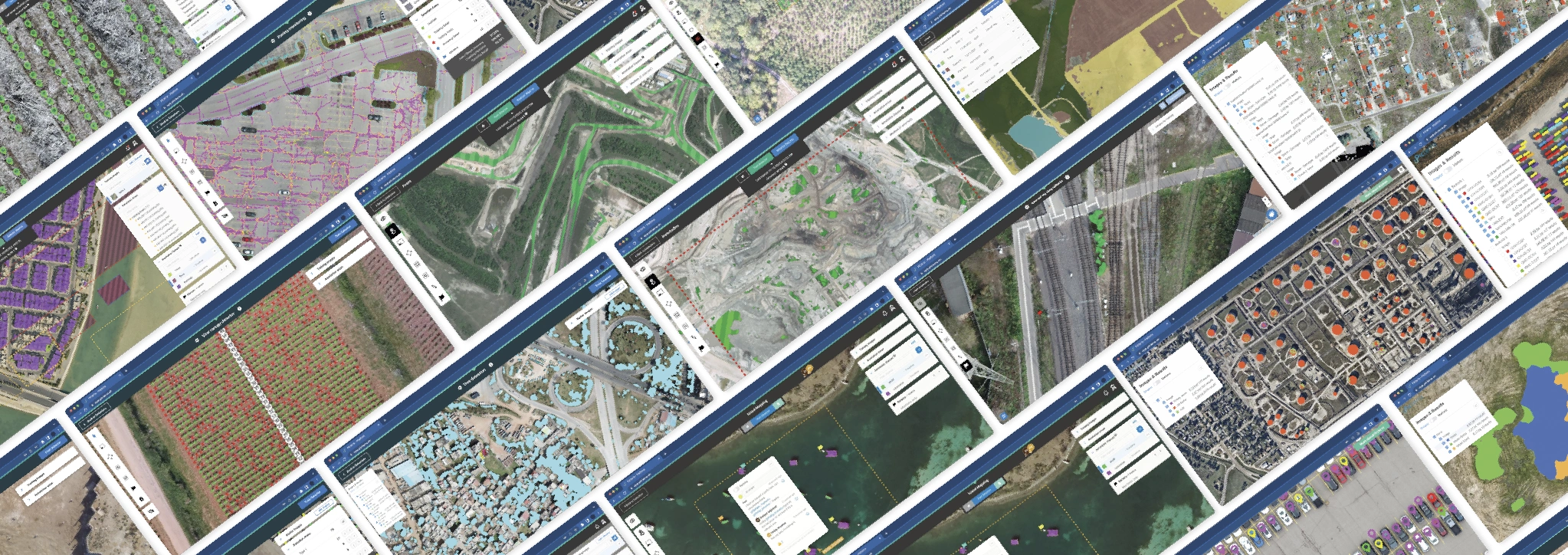
Transform your data workflows using next-gen machine learning on Picterra Forge

faster
0 %

Accelerate your workflow with Picterra Forge. Build scalable machine learning models in days instead of months and unlock a new level of efficiency.

less training data
0 %

Train custom models on your own data with Picterra Forge’s intuitive tools. Cut training data needs by 99% while increasing accuracy and performance.

larger scale
0 x

Run country-scale geospatial analysis in hours with fully automated model deployment. Picterra Forge handles massive datasets with ease for unmatched coverage.

less expensive
0 %

Access powerful deep learning without the high costs. Picterra Forge eliminates the need for costly data science services, making advanced GeoAI affordable at scale.

Lead the way with powerful
platform features and capabilities


This image shows the Picterra project management dashboard, designed for organizing and managing geospatial data and AI models. The clean, minimalist interface features a list of active projects with details on their creation dates, associated imagery, and current status. The dashboard includes navigation tabs for Projects and Detectors, along with clear call-to-action buttons for creating new projects or adding data. This centralized hub allows users to efficiently manage high-resolution satellite and drone imagery, providing a structured workflow for scaling up geospatial analysis and monitoring operations.
This image displays the Picterra user dashboard, providing a centralized overview of a user's geospatial AI operations.

Data management

Organize, prepare, & store your data

  • Analyze and consolidate your EO imagery libraries from satellite, drone, and aerial sources in one platform.
  • Process optical RGB and multispectral imagery including false color, thermal, SAR, NIR, and height maps.
  • Upload imagery directly via the web interface or import from a local server, cloud storage, or ArcGIS Image, WMS and XYZ servers.
  • Enrich data to strengthen models with advanced GIS pre-processing and post-processing tools in just a few clicks.

Object detection

Autonomously create and deploy ML models at scale

With Picterra Forge you can create a scalable system to operate geospatial machine learning models in production and continuously develop them. Create deep learning models quickly and efficiently with help of smart annotation toolkit and user friendly UI. Leverage state of the art machine learning models architecture with the ability to customize the algorithms to your specific needs and benefit from best-in-class support from our team of experts.
Lead the way with powerful platform features and capabilities:
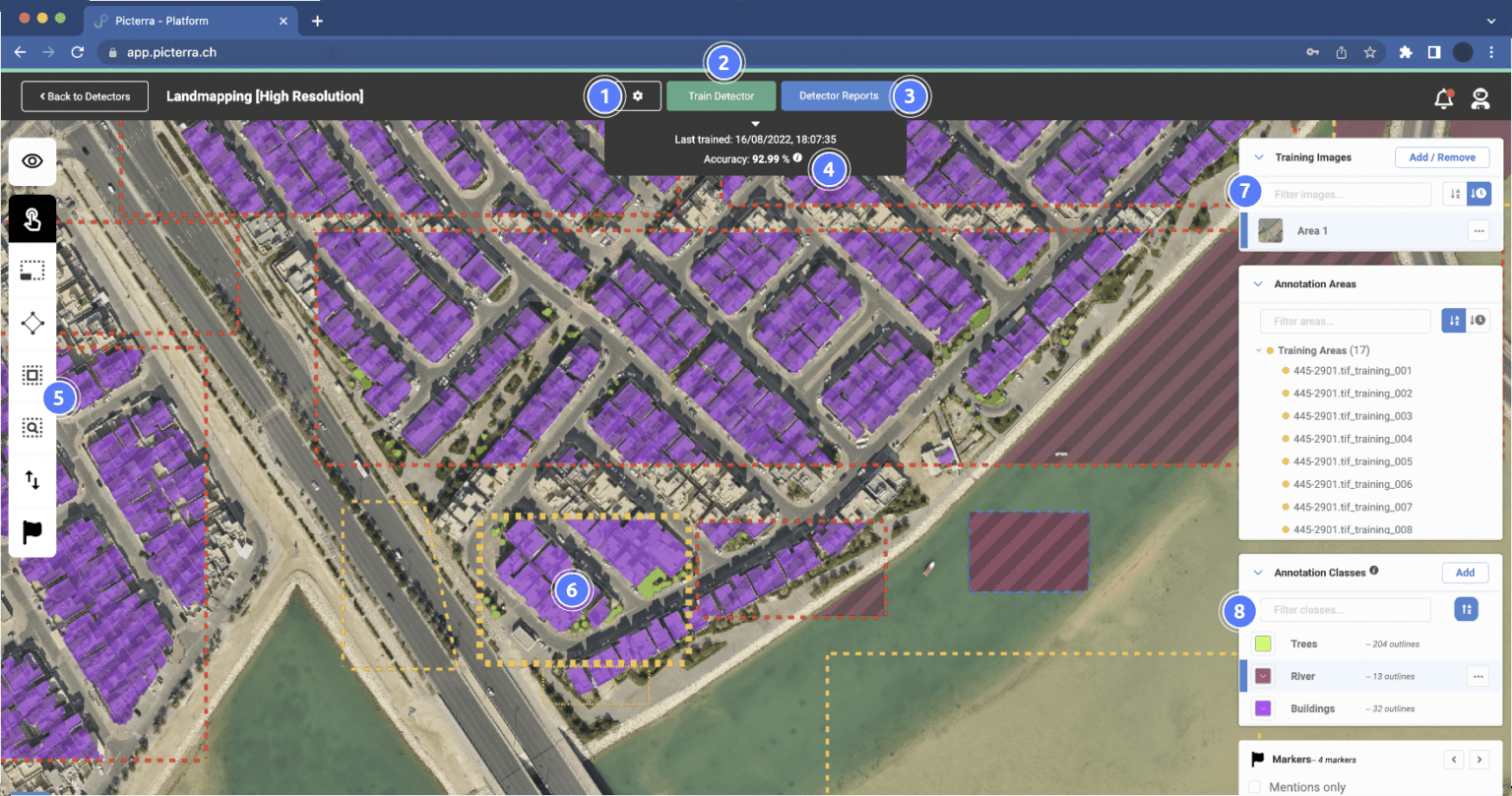
01.

Access to advanced detector settings

Accelerate model creation and production deployment by relying on a thoroughly tested and optimized standard detector settings. Experiment with advanced model settings such as backbone model, training tile size, or background sampling ratio.

02.

Auto-scaling on cloud infrastructure

Custom deep learning architecture optimized for geospatial imagery. Auto-scaling infrastructure with adjustable capacity to ensure predictable and efficient processing. Fast prototyping and large scale inference.

03.

Detector training report

Get insights into how your model is performing, understand accuracy across multiple classes and analyze your model behavior.

04.

Detector accuracy
score​

Assess performance of your model. Compute accuracy score with the help of representative accuracy areas and example regions your model will run on when deployed at scale.

05.

Smart annotation toolkit & drawing tools

Intuitive model training toolbar that helps you structure all the steps required to create, train and deploy your custom model.

06.

Model development & training UI​

Easy to use web UI for no-code ML model training Import existing data using the API and advanced detector settings. Run your model on an entire image library with one click thanks to fully automated model production deployment.

07.

Optimized detection areas​

Draw or upload existing detection areas. Ensure fast and accurate detectors by customizing the shape and size of detection areas. Useful when monitoring linear objects (e.g., railways, roads, rivers) or AOI scattered within the imagery.

08.

Single or multi-class detector workflows

Assign up to 10 classes in a single detector (instance & semantic segmentation). Achieve efficient and faster workflows when working with sub-classification or sub-categorization of objects within a specific class.

This image displays the Picterra platform's change detection interface monitoring a mining site. A vertical slider splits the satellite view, allowing for a direct side-by-side comparison of the landscape between two different dates. The dashboard below includes a "Count" graph and a timeline showing a comparison between July 2020 and August 2021. With the "Class Selection" set to deforestation, the tool illustrates how geospatial AI can be used to track environmental impact and land-clearing activities over time in industrial zones.

Change detection

Navigate change detection challenges with precision and efficiency

  • Explore different ways to solve your change detection challenges in Picterra Forge – from detecting subtle changes in objects movements or appearance, land patterns shifts to exploring comprehensive transformations across terrains.
  • Benefit from specialized change detection models, streamlined annotations and efficient algorithm training, as well as meticulous change analysis.
his image features the Picterra "Dataset Recommendation Report" interface, a beta tool designed to improve the performance of AI detectors like the "[dataset exploration] Tree Holes" model shown in the background. The modal window explains how the tool helps users understand data variability and patterns by generating automated recommendations for training. By analyzing imagery and existing annotations, the system identifies where the detector may need more representative data to improve its generalizability.

This image features the Picterra platform being used to train an AI model titled "Orig Seals," designed to detect seals along a rocky coastline. The satellite view shows several seals highlighted with bright green polygons against the white and grey rocks. The dashboard at the top indicates a training accuracy of 84.18% as of January 2024. On the right, a detailed "Annotation Areas" sidebar lists dozens of Accuracy Areas, showing individual success rates (ranging from 0% to 100%) for specific test zones. This interface demonstrates how the platform provides granular insights into model performance, allowing researchers to pinpoint where the AI excels or struggles in identifying wildlife in complex natural environments.

Detector insights

Boost model accuracy & quality with powerful detector insights tools

  • Explore your data variability with a Dataset Recommendation report to reveal visual patterns in the dataset and automatically pinpoint areas for additional annotation to improve model training coverage
  • Seamlessly iterate & enhance your model performance with help of powerful detector insights tools – localized results warnings, accuracy scoring, model confidence maps or improved area of interest (AOI) management

This image shows the Picterra platform dashboard featuring a satellite view of a lush, mountainous landscape. The interface includes a time-series analysis tool with a "Count" line graph tracking data from 2012 to 2020. A Class Selection menu allows users to filter results by categories like "Coffee adult," "Banana," "Buildings," and "Roads." The bottom panel also features a timeline slider and a "Date Comparison" toggle, illustrating the platform's capability for change detection and agricultural monitoring over time.

This image showcases the Picterra platform's advanced attribute mapping capabilities, featuring a Digital Surface Model (DSM) of an urban area. The grayscale elevation map is overlaid with teal polygons identifying 209 individual buildings. The interface highlights a Quality Control (QC) Flow, with a sidebar displaying layers for "Heightmapped Polygons" and "Buildings." White flag markers on the map correspond to a "Comments" section, indicating collaborative review. This tool allows users to extract and manage specific object attributes—such as building height or footprint—streamlining the workflow for urban planning, infrastructure monitoring, and 3D geospatial analysis.

Results

Present compelling results & visualize your findings

  • Extract valuable insights from the detections delivered by your models and visualize them as interactive web or change monitoring reports.
  • Simplify the process of reviewing, editing, and refining your detection results with streamlined quality control
  • Ensure reports are easily accessible to all stakeholders within or outside an organization by sharing a link which does not require a Picterra account to view.
Saplings detection
Cracks assessment
Regenerative Agriculture
Country-scale detection
Deforestation monitoring in mining

This image demonstrates the integration of Picterra with Esri's ArcGIS Pro, showcasing a seamless workflow between AI geospatial analysis and industry-standard GIS software. The interface displays an aerial map of a forested and agricultural region, with light green overlays indicating analyzed areas. The "Contents" pane on the left highlights various active projects, including Palm-Oil Monitoring, Solar Panel Detection, and Railway Bolts and Clips. By bringing Picterra's automated detection capabilities directly into the ArcGIS environment, users can easily combine AI-generated insights with complex spatial datasets for advanced environmental monitoring, infrastructure management, and land-use planning.

This image illustrates an automated geospatial data pipeline created through the integration of Picterra and FME. The flowchart depicts a seamless, end-to-end workflow where a weekly schedule triggers the system to download new Sentinel satellite imagery, process it through Picterra for AI-driven feature detection, and generate detailed reports. The final stage of the pipeline automatically uploads these results to a Dropbox directory and sends email notifications to stakeholders, demonstrating how the platform can be embedded into enterprise-level workflows to transform raw imagery into actionable insights without manual intervention.

Integrations

Take your work further

  • Use the REST or Python API and integrate Picterra capabilities directly into your applications to seamlessly extend and enrich your workflows.
  • Facilitate faster execution and automation of a range of tasks and run them at scale, e.g., upload georeferenced images (from local or remote servers) to Picterra
  • Forge, import object annotations or detection areas or train detectors.
  • Develop solutions and customized dashboards that leverage the power of Picterra Forge’s machine learning.
  • Integrate Picterra Forge into your own solutions

Toolbox

Magic wand

Expedite the annotation process through the aid of our AI magic wand, powered by Meta AI’s Segment Anything Model (SAM). This innovation enables one-click annotation of land patterns or objects, significantly simplifying the annotation work.
Learn more about Magic wand
Image description
Split screen

Platform feature that splits your imagery into two halves. One side presents the “before” image, while the other showcases the “after” image (with customizable order). Annotations on one side seamlessly populate on both images, streamlining your workflow.
Download the guide
Image description
Advanced tools

Streamline and simplify geospatial workflows with access to the most common GIS tools in just a few clicks and build more accurate models by enriching them with diverse data.
Watch the video
Image description
Collaboration
Discover real-time collaboration on the Picterra platform & see first hand how you can combine deep learning expertise with operational know-how for unparalleled results.
Watch the video
Image description

Scale your geospatial impact with Picterra Forge